Built for Discord servers, not spreadsheets

Every new post.
Right in Discord.

Pick an account, choose a channel, and leave it alone. PostPing checks the feed in the background and posts only genuinely new content.

No dashboard password Manage only your servers Runs on your machine
# content-alerts PostPing online
P

YouTube
New YouTube uploadjust now
NEW
Creator update

Your community will see this automatically.

Fresh content, clean embeds and no channel clutter.

XNew post detected
InstagramDelivered to Discord
Monitor the platforms your audience follows
YouTube
X
Instagram
TikTok
KickNEW
Discord social media notification bot

One Discord bot for Twitter, Instagram, YouTube, TikTok and Kick.

Use PostPing as your Discord Twitter, Instagram, YouTube, TikTok and Kick livestream bot from one dashboard.

X

Discord Twitter bot

Send new X and Twitter posts to a Discord channel automatically.

Instagram

Discord Instagram bot

Share new Instagram posts in Discord with clean account details.

YouTube

Discord YouTube bot

Publish new YouTube uploads to the channels your members follow.

TikTok

Discord TikTok bot

Turn new TikTok posts into automatic Discord notifications.

NEWKick

Discord Kick bot

Alert your Discord server when a followed Kick streamer goes live.

A clear delivery pipeline

One post enters. One useful alert leaves.

PostPing keeps each step visible: detection, duplicate protection, Discord permission checks and final delivery.

Persistent monitoring cursor Automatic retry and diagnostics No duplicate notification spam
@creatornew post
PostPingPostPingdetect · verify · deliver
#updatesembed delivered
Everything in one place

A dashboard people can actually use.

No command maze. Sign in with Discord, choose a server, and manage the entire notification flow from one clear panel.

Server-aware access

Users only see servers where they have Manage Channels or Administrator permission.

Light local monitoring

One persistent browser profile, limited parallel pages and media blocking keep local monitoring lean.

Live health

See platform health, recent checks, delivery totals and runtime logs from the dashboard.

English and Turkish

Switch the website language instantly. Discord server language remains configurable separately.

Three sensible steps

From creator post to Discord channel.

Setup takes a minute; monitoring continues quietly in the background after that.

01

Sign in with Discord

Authorize identity and server list access. Your Discord password is never shared with PostPing.

02

Choose a server and channel

PostPing checks your permissions and shows only manageable destinations.

03

Add a creator

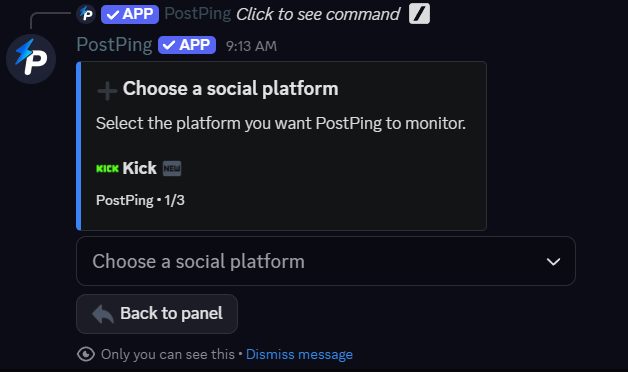
Select the platform, enter a handle, and let the monitor deliver new content embeds.

Live from this installation

PostPing system status

These figures are read directly from the running bot.

Checking…Discord bot
Servers
Active follows
Notifications sent
Questions, minus the mystery

The things people ask before clicking buttons.

The dashboard handles daily work. These answers cover access, reliability and data storage.

Read the Terms of Service
Does PostPing receive my Discord password?

No. Discord OAuth handles login and returns only the identity and server access you approve.

Why do some platforms need a browser sign-in?

Their official read APIs can be restricted or paid. Local monitoring uses the session stored on your own PostPing machine.

Can a notification be missed?

Platform changes, expired sessions, host downtime or removed Discord permissions can interrupt delivery. The dashboard exposes errors and retries.

Where is the data stored?

Configuration, SQLite records and browser sessions remain on the machine running this installation.

Ready when your feed is

Turn social posts into Discord activity.

Log in, pick a server, and manage your alerts from the dashboard.